🎛️ Premium Denon & Marantz Control

AVR Maestro

The premium network controller for Denon and Marantz AV receivers. Capture your whole setup as a one-tap Scene, command every sound mode, Audyssey and Dirac Live, full speaker calibration, multi-zone, an FM/AM tuner and a live now-playing display - all from your phone. No ads. No subscriptions. No data leaves your network.

4.9 · 102 ratings on the App Store, Google Play & Microsoft Store
Get it on Google Play Download on App Store Get it on the Mac App Store Get it on Microsoft Store Read the full manual ↗
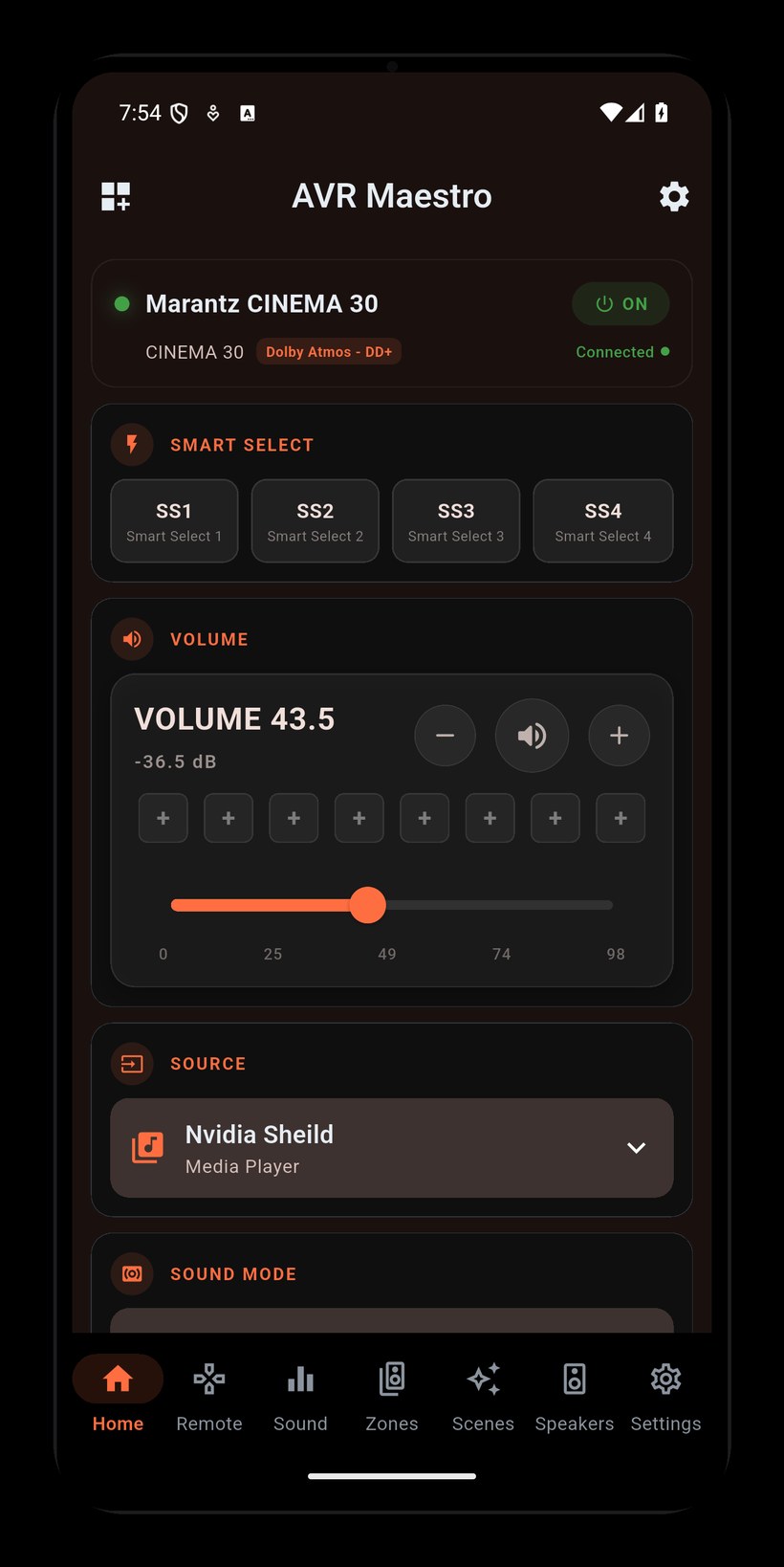
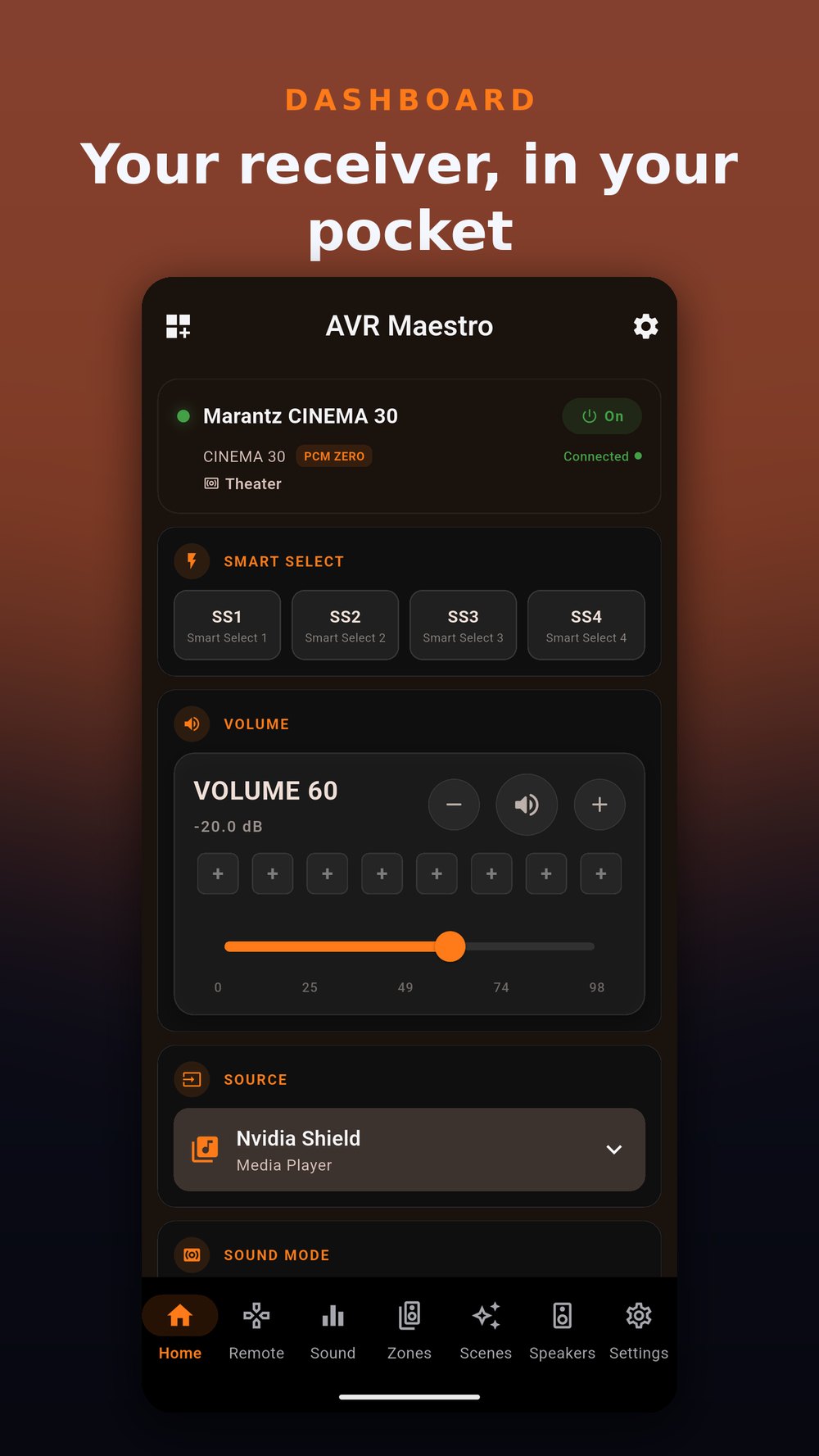
AVR Maestro dashboard
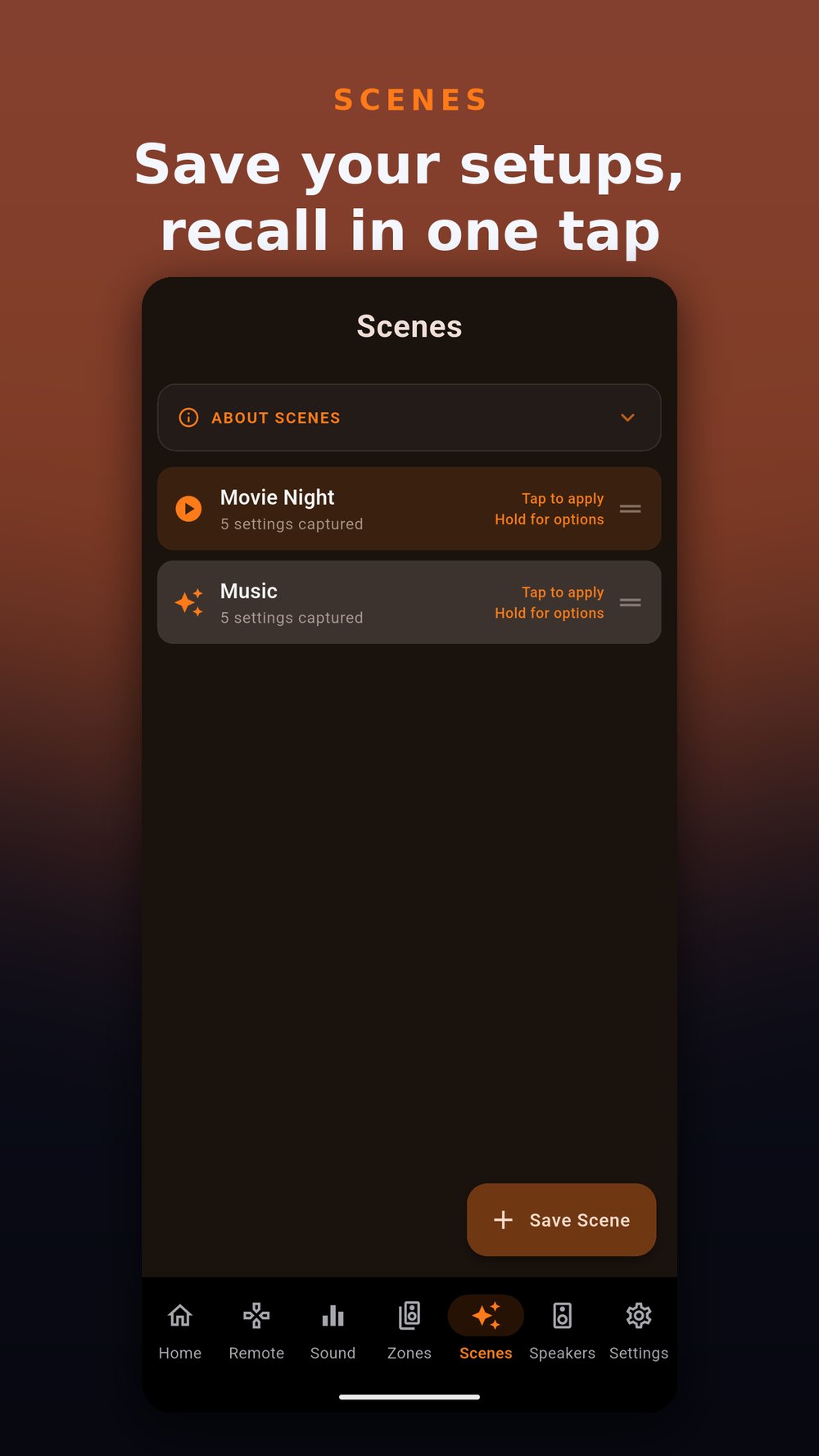
One-tap Scenes
Virtual remote

Complete Receiver Control In Your Hand

AVR Maestro connects to your Denon or Marantz receiver over Wi-Fi and gives you full control of every setting, from volume to room correction, without touching the receiver.

One-Tap Scenes

Capture your entire setup - input, volume, sound mode, Audyssey/Dirac, speaker preset, channel levels, zones, even the tuner - and recall all of it with a single tap. Movie night, gaming, late-night listening: each its own Scene.

Capture One-Tap Recall Unlimited Scenes
🔊

Volume, Input & Surround

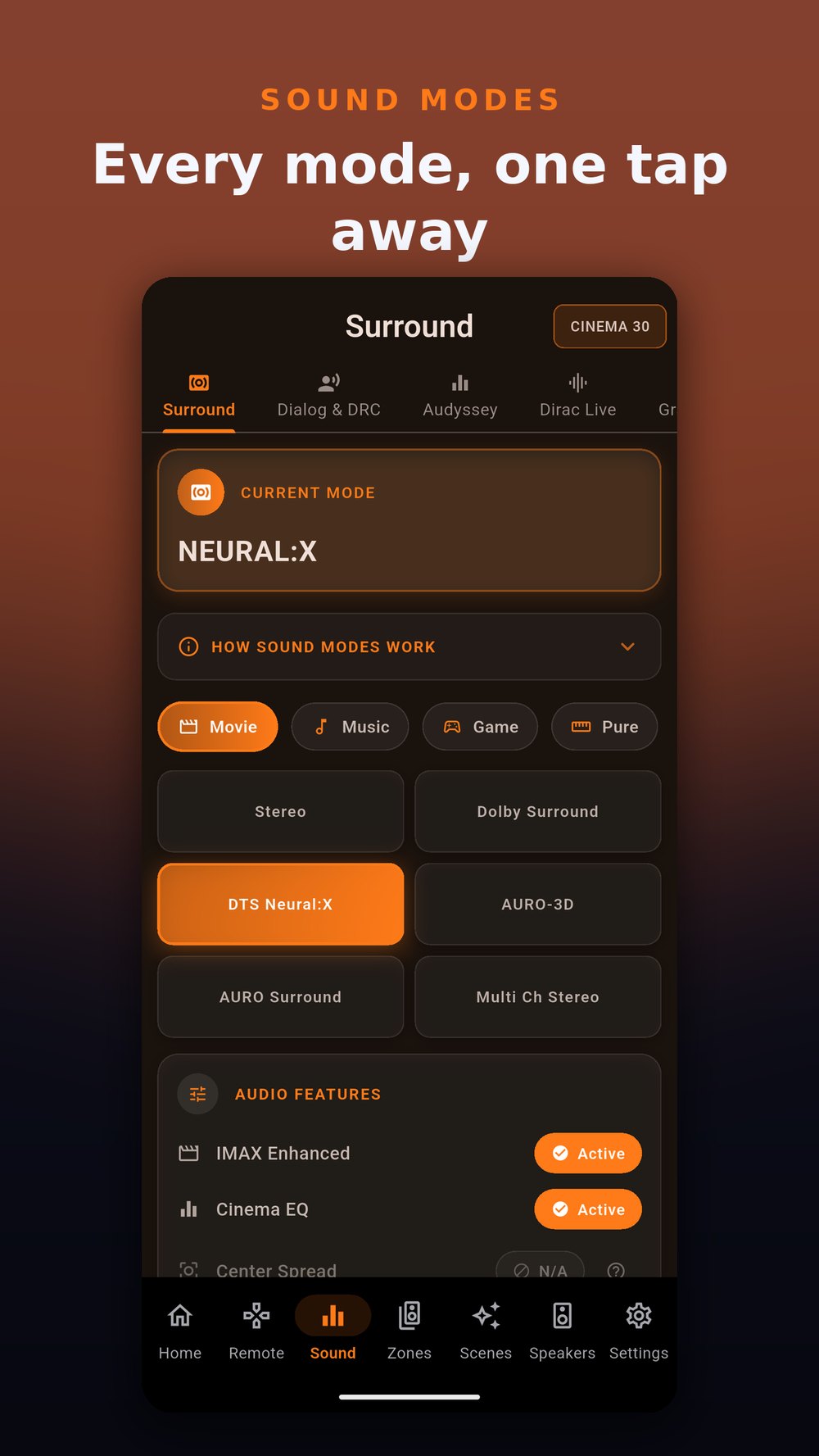
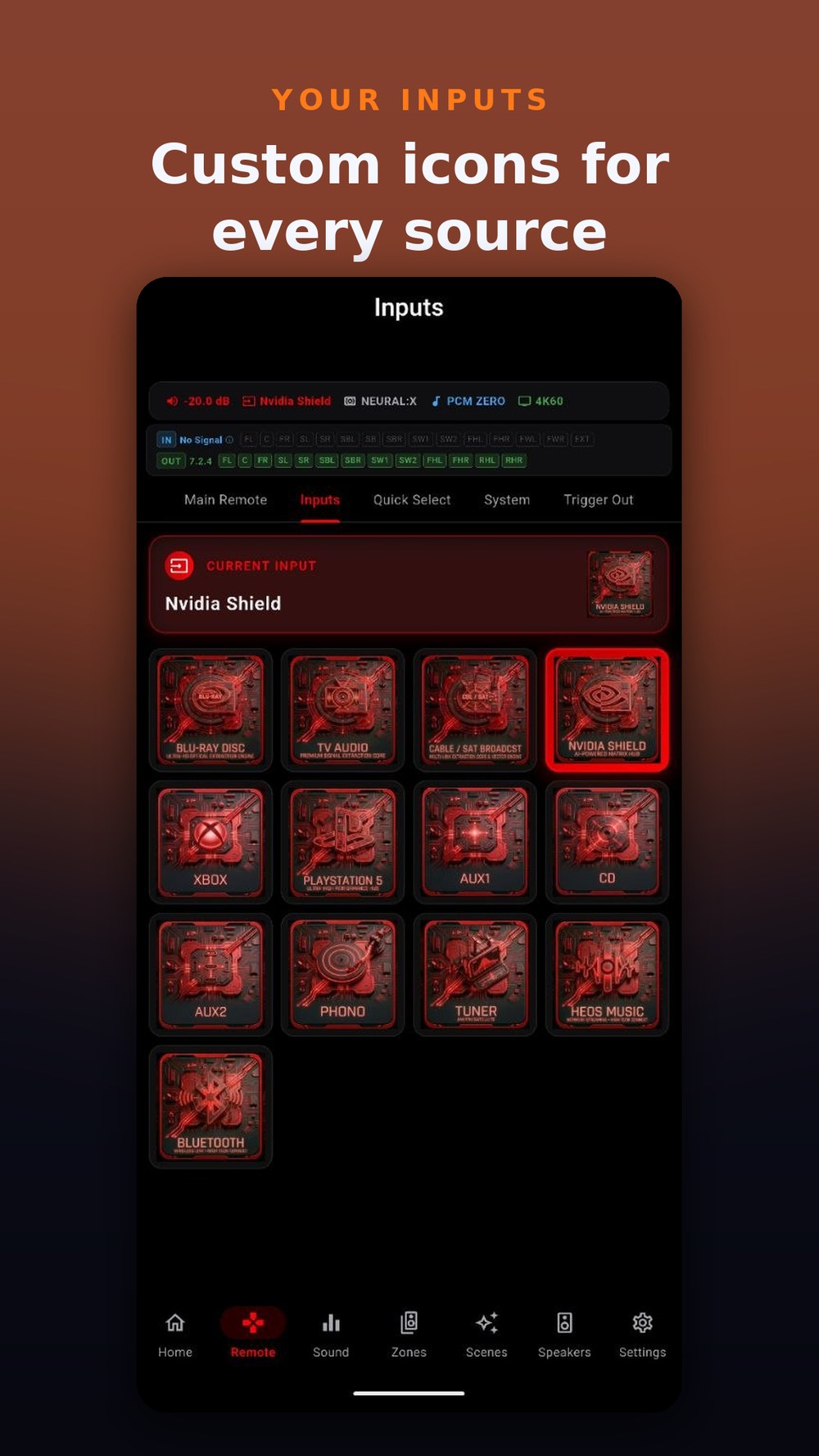
Precise volume control with dB readout, one-tap input source switching with a visual grid, and a full surround mode selector with every mode your receiver supports.

Volume Input Grid Surround Modes
🎮

Virtual Remote

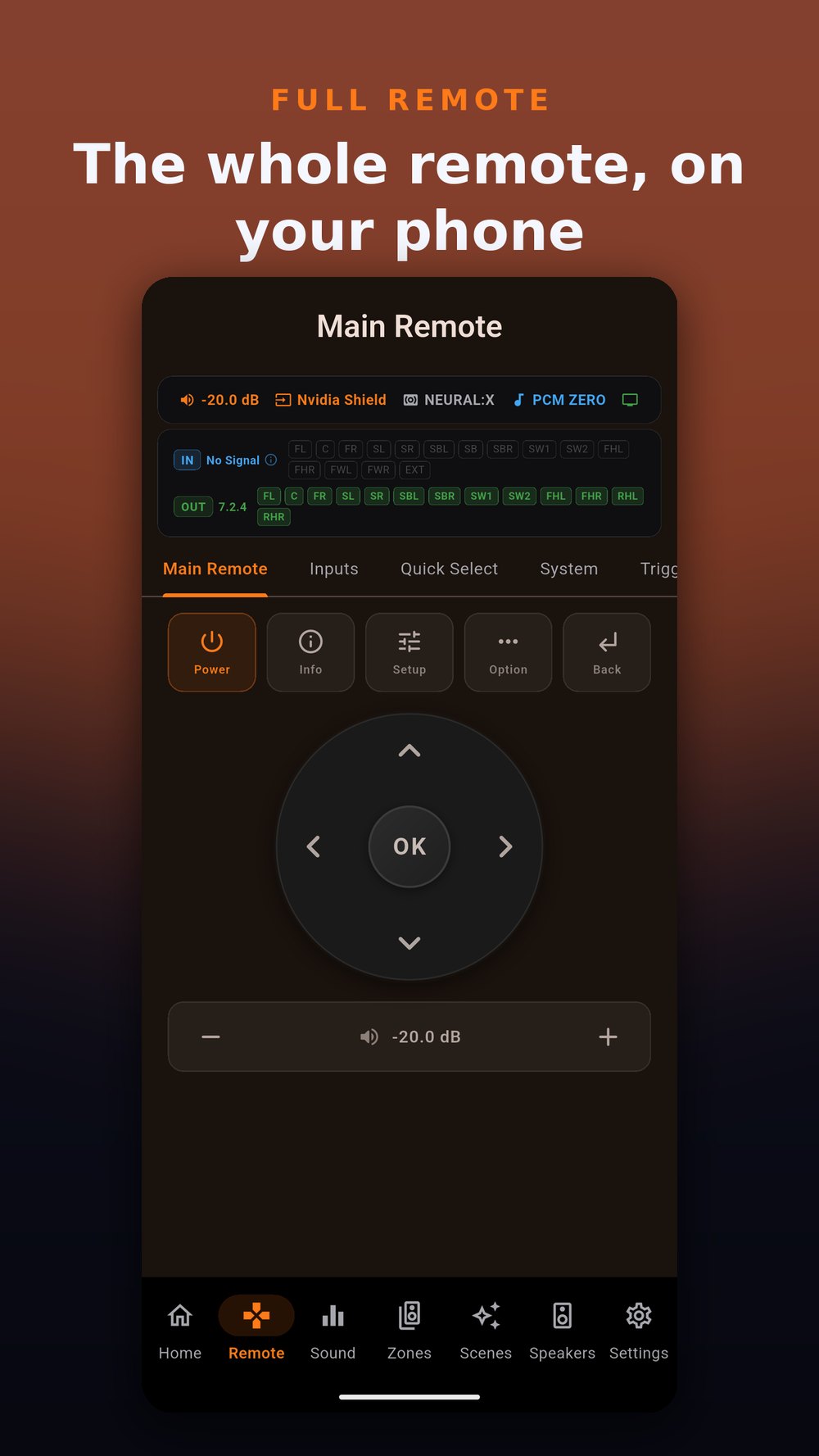
A premium virtual remote with navigation D-pad, playback transport controls, mute, and quick volume adjustment. Everything you need, without hunting for the physical remote.

D-Pad Transport Quick Access
🏠

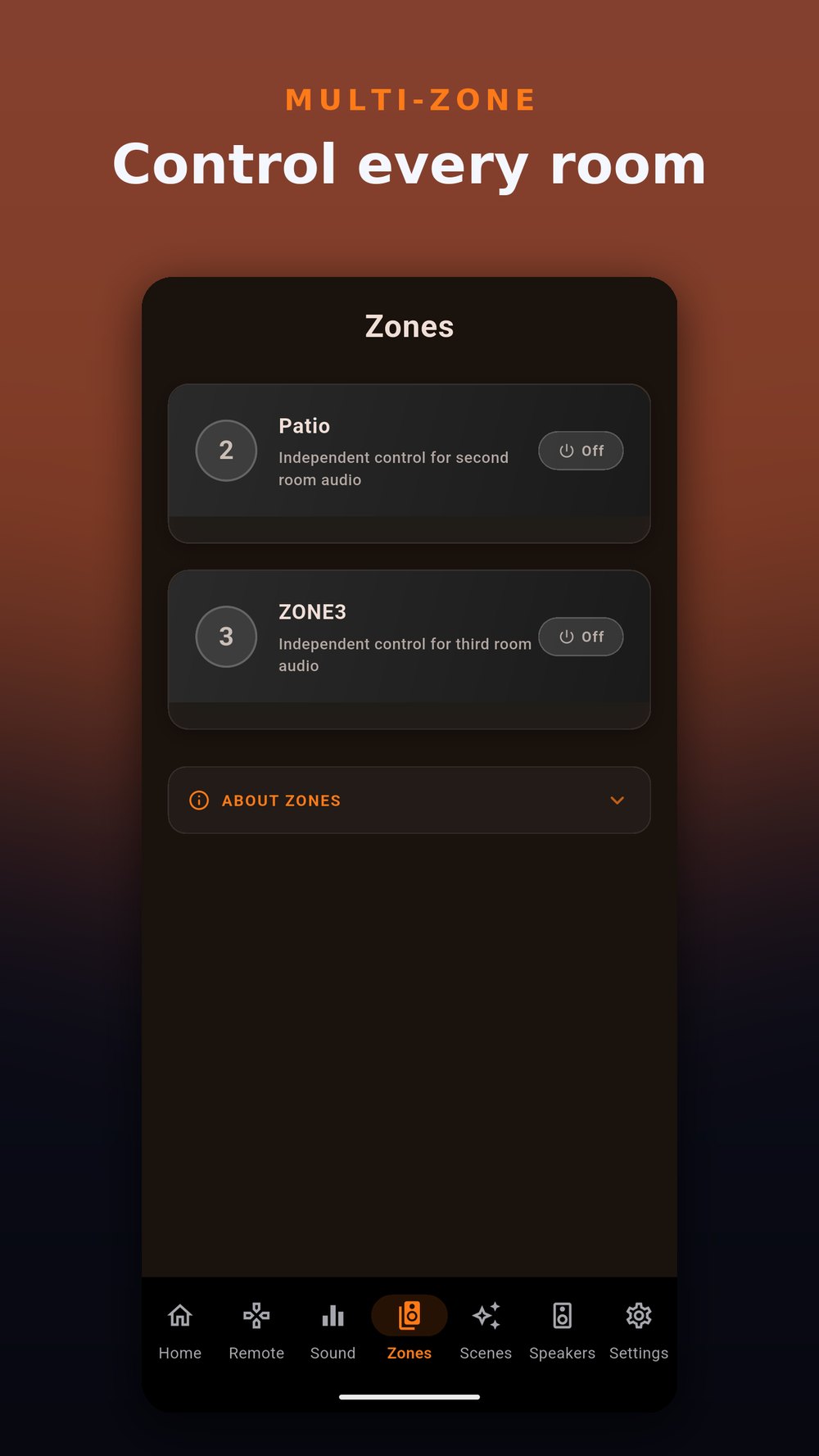
Multi-Zone Control

Independent control for Zone 2 and Zone 3. Dedicated power, volume, input source, and quick volume presets for each zone, all from a single screen.

Zone 2 Zone 3 Per-Zone Input
🎵

Audyssey & Room Correction

Full control over Audyssey MultEQ, Dynamic EQ, Dynamic Volume, LFC, and Containment Amount. Fine-tune your room correction without navigating receiver menus.

MultEQ Dynamic EQ Dynamic Volume
🎯

Dirac Live & IMAX Enhanced

Switch between Dirac Live filter slots, configure IMAX mode with crossover settings, and adjust Auro-3D presets and processing strength, all from your phone.

Dirac Live IMAX Auro-3D
🎚️

Per-Channel Levels

Independently adjust volume for every speaker in your system, from front left/right to overhead height channels. Perfect for fine-tuning after room correction.

Channel Levels All Speakers Height Channels
⚙️

System Configuration

HDMI output settings, front-panel dimmer, 12V trigger outputs, eco mode, auto-standby timers, HDMI CEC, Bluetooth transmitter, audio restorer, and video processing mode.

HDMI Triggers Eco Mode CEC
🎨

Quick Selects, Themes & Custom Nav

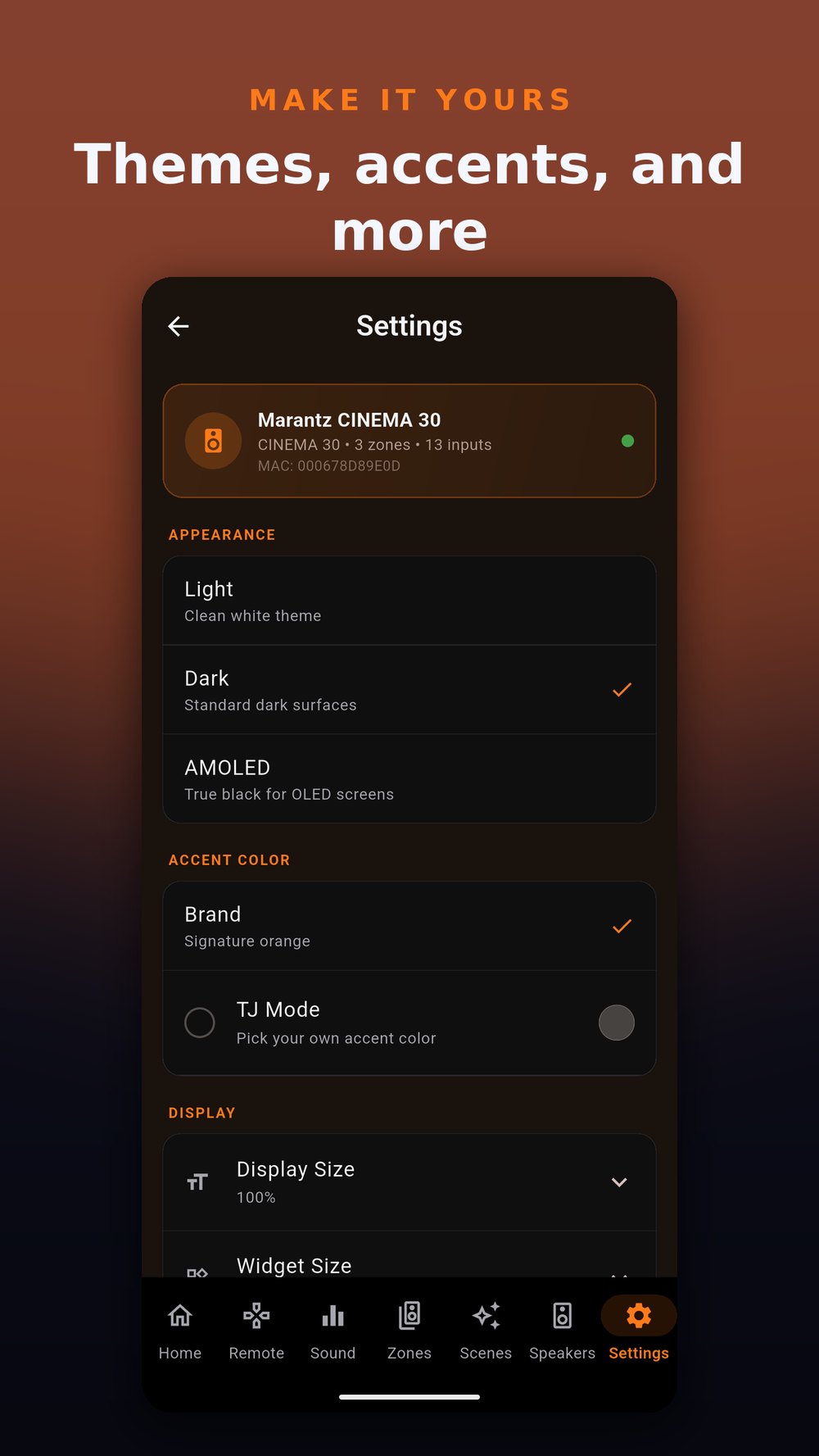
Recall your favorite input/volume/mode combos with one tap. Choose Light, Dark (AMOLED), or Device theme, set a custom TJ Mode accent color, and drag to reorder, show, or hide navigation tabs to match your workflow.

Quick Select TJ Mode Color Custom Nav
📻

FM/AM Tuner & Now Playing

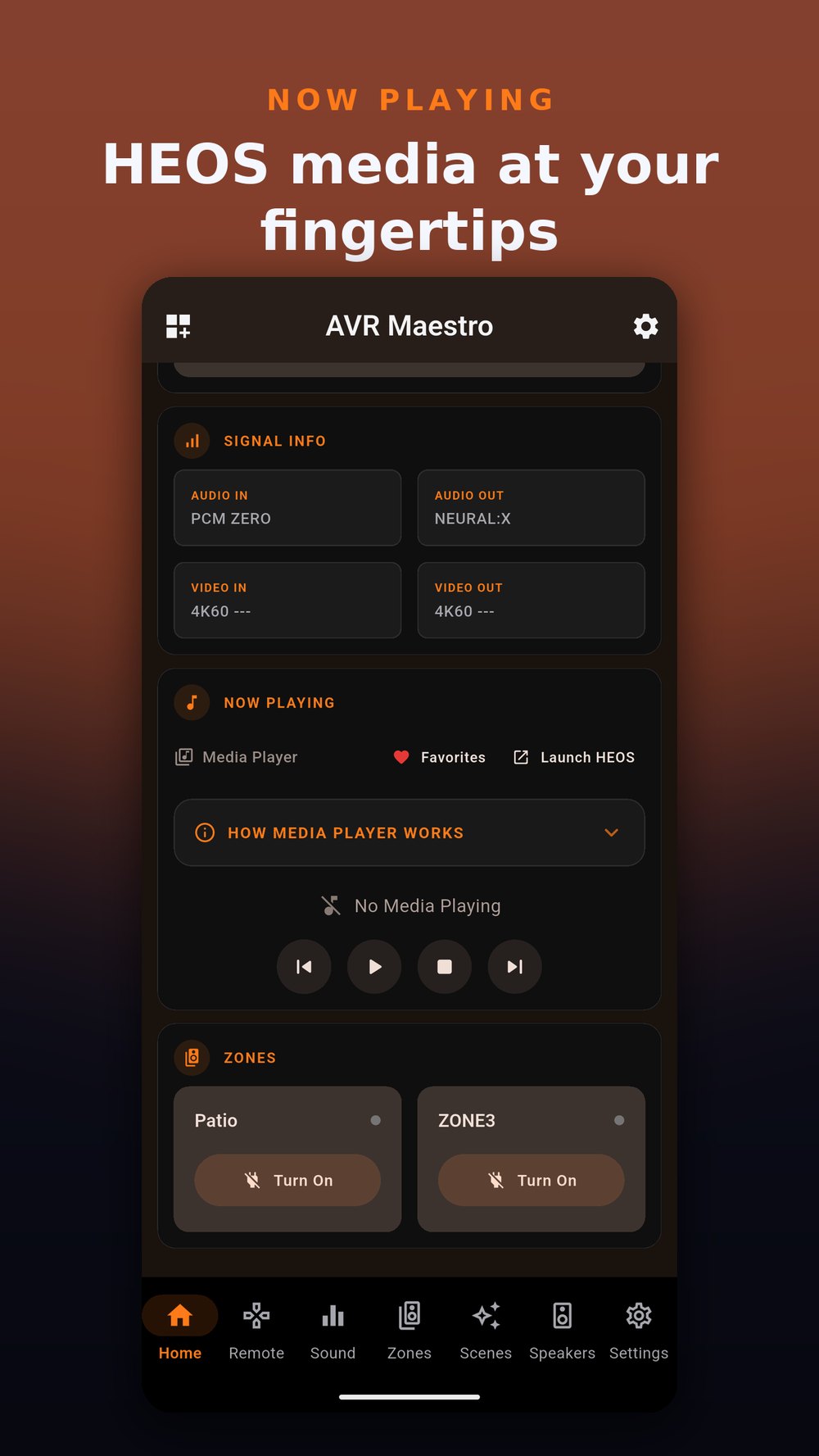
Tune FM/AM by frequency or stored preset right from the app, and watch a live now-playing display with album art for HEOS sources. Reorder and rename your inputs so the grid reads the way you think.

FM/AM Presets Now Playing Rename Inputs

Watch It in Action

See AVR Maestro controlling a real Marantz Cinema 30: volume, input switching, surround modes, multi-zone, Audyssey, Dirac, and more.

See Every Screen

A premium, purpose-built interface for AV enthusiasts. Dark theme, real-time data, intuitive navigation - now on iPhone, Android, Windows and macOS.

On iPhone

On Android

📖 The full step-by-step manual

Every screen explained, from first-time setup to power-user tricks - Scenes, Sound, Speakers, Zones, the Remote, the Radio and the hidden gems. Beautifully illustrated, and always up to date.

Open the manual ↗

Direct Network Connection. No Cloud Required.

AVR Maestro communicates directly with your receiver over Wi-Fi using the same network protocols your receiver already supports. Your data never touches an external server.

1

Add Your Receiver

Enter the IP address of your Denon or Marantz receiver. AVR Maestro instantly tests HTTP, Telnet, and HEOS connectivity and detects available features.

2

Connect Over Wi-Fi

AVR Maestro communicates via HTTP for reliable status polling and Telnet for real-time event streaming. HEOS provides now-playing info with album art.

3

Take Full Control

Adjust volume, switch inputs, select surround modes, manage zones, fine-tune Audyssey/Dirac/IMAX settings, and control your entire system from one app.

Local Only. No Account. No Cloud.

AVR Maestro is designed with a privacy-first, local-only architecture. No cloud dependency, no user account, no data collection beyond crash reporting.

🔒

No Cloud Relay

All commands and status polling happen directly between your phone and your receiver over your local Wi-Fi. Nothing leaves your network.

👤

No Account Required

No sign-up, no email, no MiyaraHub account needed. Open the app, enter your receiver's IP, and you're in control.

📡

Minimal Analytics

Firebase Crashlytics for bug reports only. No personal data, no usage tracking, no ads. Your receiver data never leaves your phone.

💾

Local Storage Only

Device IP addresses and app preferences are stored locally on your device using SharedPreferences. Nothing is synced to a server.

🛡️

User-Initiated Actions Only

The app sends commands to your receiver only on your explicit action. Nothing happens automatically or in the background without your knowledge.

📶

Network Permission Only

The only device permission AVR Maestro requires is internet/network access, used exclusively to connect to your receiver on your local Wi-Fi.

Frequently Asked Questions

Everything you need to know about AVR Maestro.

Is AVR Maestro affiliated with Denon or Marantz?
No. AVR Maestro is an independent, third-party application developed by MiyaraHub Technologies LLC. It is not created, endorsed, sponsored, or affiliated with Denon, Marantz, or their parent company Sound United / Masimo in any way. "Denon," "Marantz," "Audyssey," "Dirac Live," "IMAX Enhanced," and "Auro-3D" are trademarks of their respective owners. Our use of these names is purely to describe compatibility.
Which receivers are supported?
AVR Maestro works with networked Denon and Marantz AV receivers that support IP control (HTTP and/or Telnet) - most models from 2014 onward. The app auto-detects available features on connection. Reachability comes down to your network, not just the model: if the receiver's own web portal, the HEOS app, and the official Denon or Marantz app can all reach it on the same network - and its network ports aren't blocked - AVR Maestro should see it too.
How does AVR Maestro communicate with my receiver?
AVR Maestro uses three protocols: HTTP for reliable status polling and commands, Telnet for real-time event streaming (volume changes, input switches), and HEOS for now-playing information with album art. All communication happens directly on your local Wi-Fi network.
Does it support Audyssey, Dirac Live, and IMAX Enhanced?
Yes. AVR Maestro provides full control over Audyssey MultEQ, Dynamic EQ, Dynamic Volume, LFC, and Containment. It also supports Dirac Live filter slot switching, IMAX Enhanced mode with crossover settings, and Auro-3D configuration. Available features depend on what your specific receiver model supports.
Can I control multiple zones?
Yes. AVR Maestro supports Zone 2 and Zone 3 with independent power, volume, input source, and quick presets. Each zone can be controlled from a dedicated section, and zone status is visible at a glance from the main dashboard.
What are Scenes?
A Scene is a one-tap snapshot of your whole setup - input, volume, sound mode, Audyssey/Dirac selection, speaker preset, channel levels, zones, and even the tuner. Save as many as you like (movie night, gaming, late-night listening) and recall any of them instantly. It's the fastest way to jump between the ways you actually use your system.
How much does AVR Maestro cost?
AVR Maestro is a one-time purchase at $9.99. No subscription, no ads, no in-app purchases. You buy it once and own it.
Can I control my receiver remotely from outside my home?
AVR Maestro connects to whatever IP address you configure. If your receiver is accessible via VPN or Tailscale, the app will work remotely. We recommend using a VPN or Tailscale rather than exposing your receiver directly to the internet.
Which platforms and versions are supported?
AVR Maestro is available on iPhone (App Store), Android (Google Play), Windows (Microsoft Store) and macOS (Mac App Store). On Android it requires Android 5.0 (API 21) or higher; on iPhone, a recent device on a current iOS release.

Ready to Master Your Receiver?

AVR Maestro is live on the App Store, Mac App Store, Google Play, and the Microsoft Store. Download it now and take control of your receiver.

Download on Google Play → Download on App Store → Get it on the Mac App Store → Get it on Microsoft Store →