Same polish as AVR Maestro - built for Yamaha.
A premium, purpose-built remote for Yamaha MusicCast AV receivers, pre-processors, and sound bars. The sibling to AVR Maestro, rebuilt on Yamaha's MusicCast protocol - power, volume, inputs, Cinema DSP and Surround:AI sound programs, multi-zone control, music browsing, and a YPAO surface, direct to your receiver over Wi-Fi.
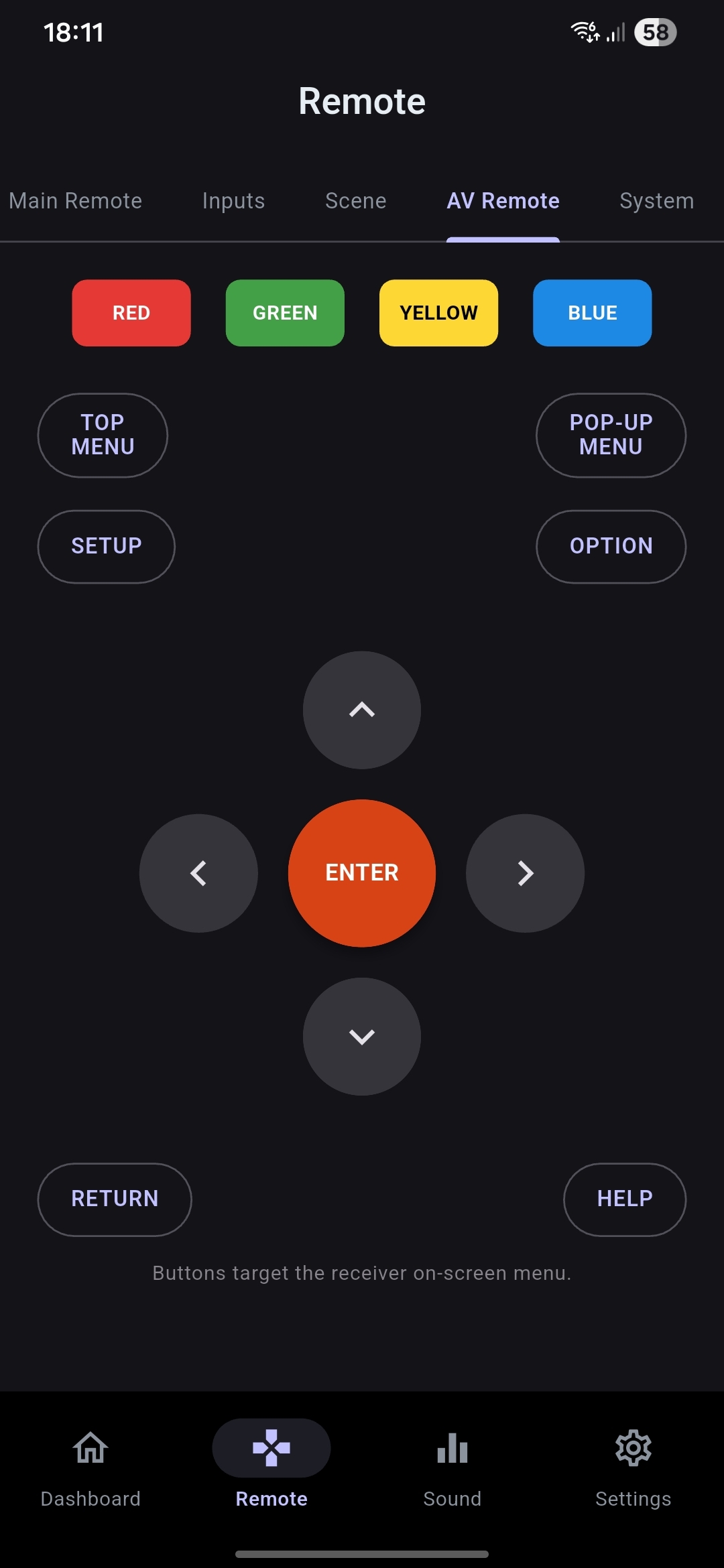
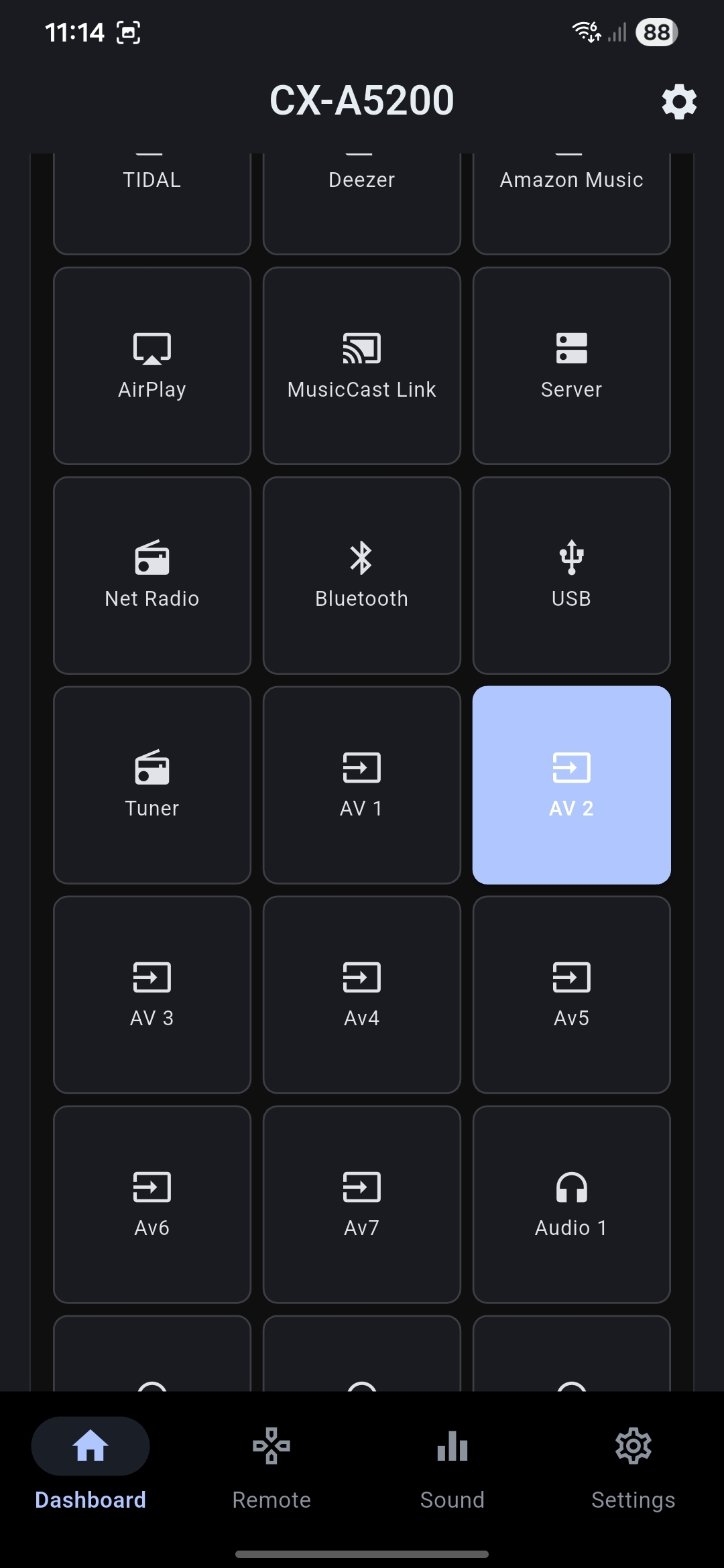
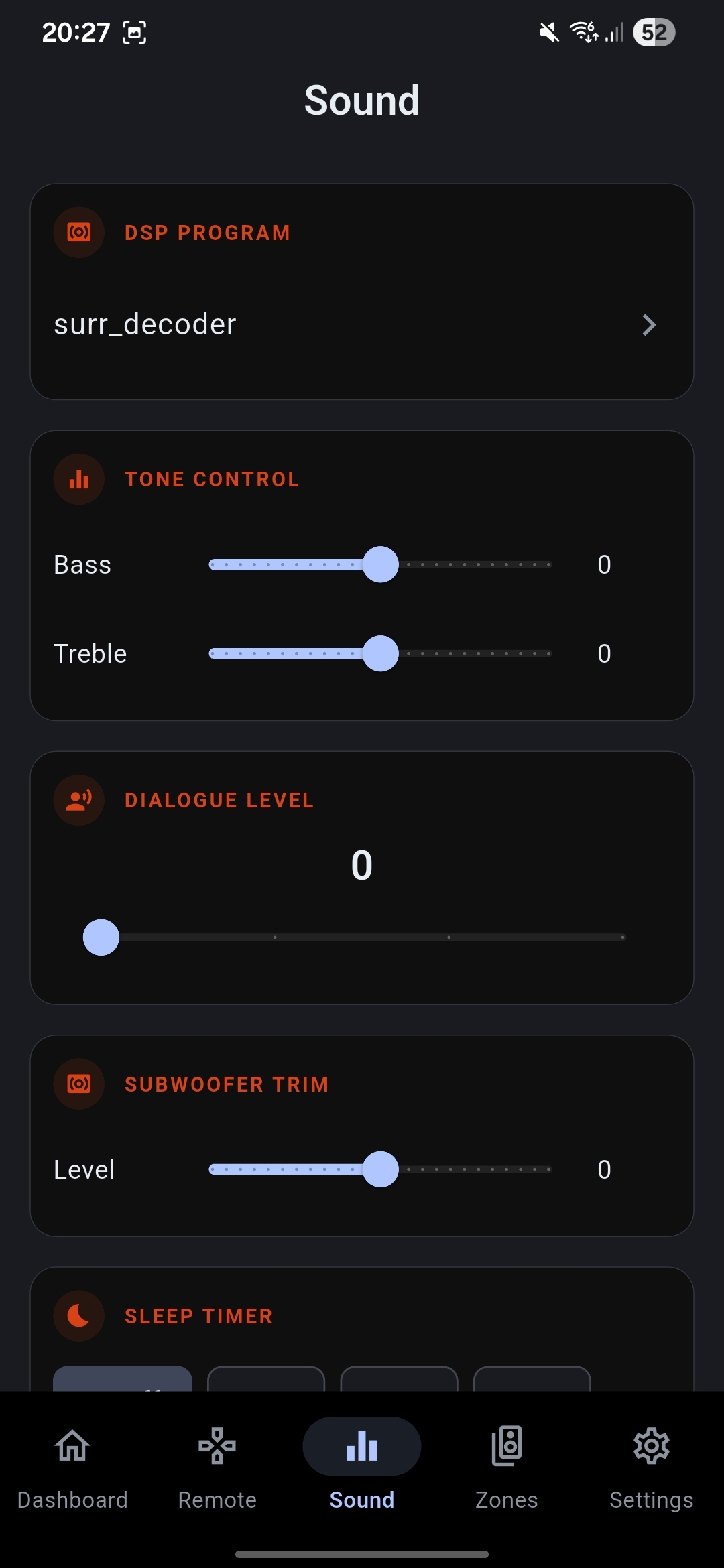
Actual AVR Maestro MC screenshots, captured against a live Yamaha CX-A5200. Dark by default, live device state, and a layout built for one-handed control. Tap any to enlarge.
AVR Maestro MC is the Yamaha counterpart to AVR Maestro - the same architecture, theming, and one-handed UX, adapted to Yamaha's MusicCast (YXC) protocol. Here is what it is built to do at launch.
A live dashboard for your receiver - power, master volume with fine steps, mute, and the current input and sound program at a glance. Everything echoes real device state, never an optimistic guess.
Switch between every input your receiver exposes - HDMI, AV, audio, tuner, and the MusicCast network sources. Clean names, quick selection, and only the inputs your model actually has.
Pick from Yamaha's full sound-program library - Cinema DSP 3D, Surround:AI, Straight, movie and music DSP modes - plus Pure Direct, Extra Bass, Adaptive DRC, and dialogue level. The Yamaha sound engine, at your thumb.
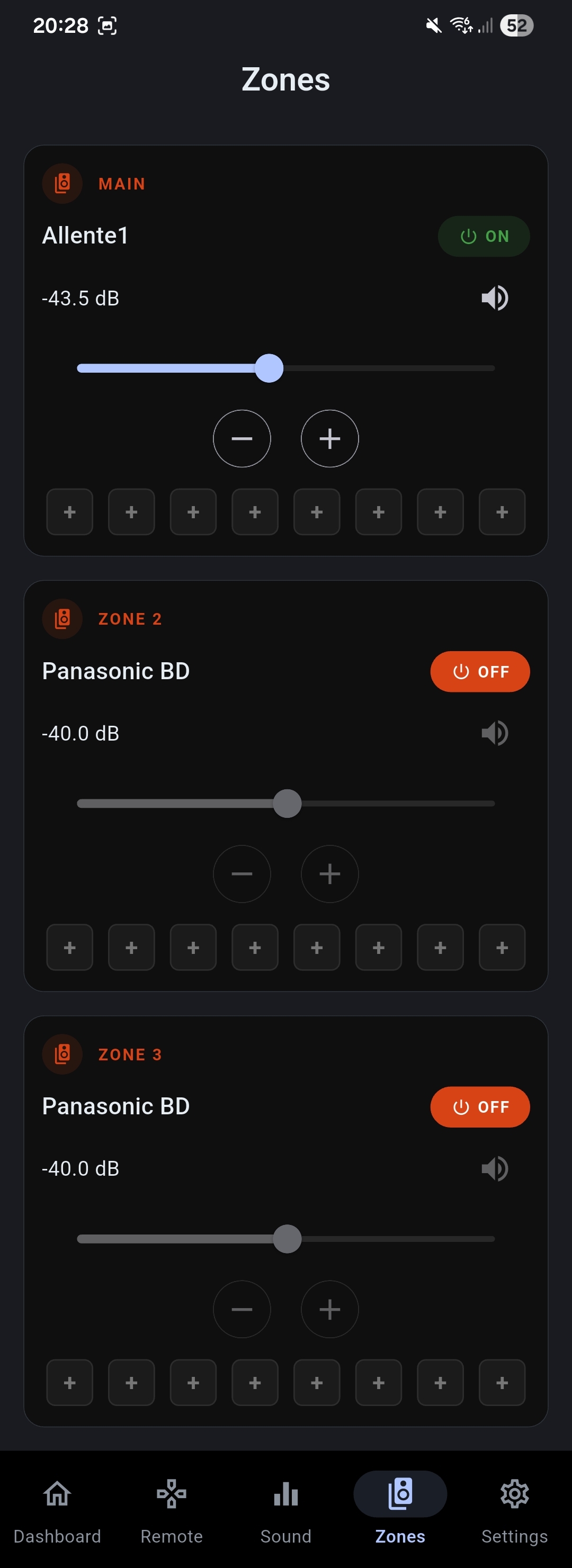
Independent control of the main zone plus Zone 2, Zone 3, and Zone 4 where your receiver supports them - power, volume, input, and mute per zone. Send different sources to different rooms, all from one screen.
Browse and play from the MusicCast sources your receiver already knows - net radio, USB, DLNA server, and the streaming services linked on the device - with now-playing metadata, transport controls, and presets.
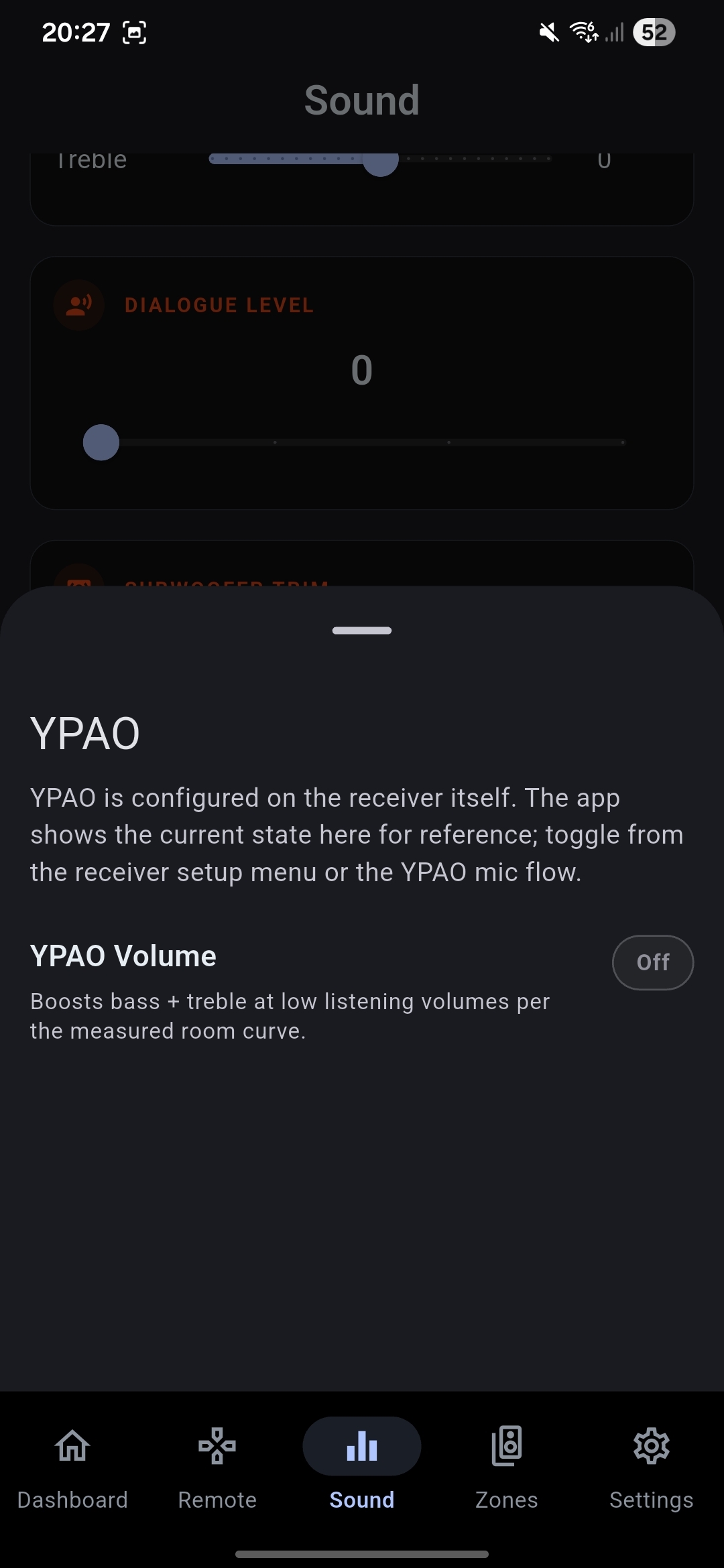
Review and toggle the settings that shape your room - YPAO results, tone controls, subwoofer trim, and the audio options MusicCast exposes - without digging through the on-screen menu on your TV.
The same widget framework as AVR Maestro - power, volume, and input tiles on your Android home screen, so the most common actions never need the app open.
Own more than one MusicCast receiver? Switch between them in a tap. Each keeps its own name, inputs, zones, and layout - the app adapts to whichever device you point it at.
AVR Maestro MC speaks Yamaha's MusicCast (YXC) protocol, which covers Yamaha AV gear from 2016 onward. It auto-detects what your model exposes and adapts the UI to match - zones and features your receiver doesn't have simply don't appear.
MusicCast required: AVR Maestro MC controls Yamaha gear that supports MusicCast (generally 2016 and newer). Yamaha receivers older than the MusicCast generation use a different protocol and are not supported. The exact model list will be confirmed at launch as real-hardware validation completes.
AVR Maestro MC talks straight to your Yamaha receiver over your local network using the MusicCast protocol. Your commands never touch a MiyaraHub server.
On the same Wi-Fi network, AVR Maestro MC discovers your MusicCast receiver automatically - or you can point it at the receiver's IP address directly. No pairing codes, no account sign-in.
The app reads what your receiver supports - zones, inputs, sound programs, and sources - and builds the interface to match. You only see controls your hardware actually has.
Power, volume, inputs, sound programs, zones, and music - every action round-trips to the receiver and reflects real device state. Add a widget, switch a zone, or change the DSP mode from your pocket.
Like every MiyaraHub app, AVR Maestro MC is built local-first. No MiyaraHub account, no cloud relay, no data collection beyond crash reporting.
Every command travels directly between your phone and your receiver over your local Wi-Fi. Nothing is routed through external servers.
No sign-up, no email, no MiyaraHub or Yamaha login required to control your own receiver. Install it, find your device, and you're in.
Crash reporting only, to help us fix bugs and widen model compatibility. No usage tracking, no ads, no data sales.
The only device permission required is network access, used exclusively to reach your Yamaha receiver on your local network.
Receiver names, zone layouts, and presets live on your device. We never see your setup, your rooms, or what you listen to.
The app never fakes device state. If the receiver hasn't confirmed a change, the app doesn't pretend it happened - what you see is what the hardware reports.
Everything we can tell you about AVR Maestro MC today.
AVR Maestro MC is an independent, third-party application developed and published by MiyaraHub Technologies LLC. It is not created by, affiliated with, endorsed by, sponsored by, or in any way officially connected with Yamaha Corporation or any of its subsidiaries or affiliates.
"Yamaha," "MusicCast," "AVENTAGE," "Cinema DSP," "Surround:AI," "YPAO," and all related product names and logos are trademarks or registered trademarks of Yamaha Corporation, registered in the United States and other countries. All other trademarks referenced herein are the property of their respective owners.
References to these products on this page and within the app are made solely for the purpose of identifying compatibility and describing the app's functionality (nominative fair use). The trademark holders are not affiliated with MiyaraHub Technologies LLC and do not endorse this product.
AVR Maestro MC communicates with Yamaha receivers using their documented local network protocol. Use of this app is at your own risk. MiyaraHub Technologies LLC is not responsible for any device misconfiguration or other issues arising from the use of this application.
AVR Maestro MC is in active development and will launch on the App Store, Google Play and the Microsoft Store. Get notified at launch.